


Page 351 -
P. 351
manage your data


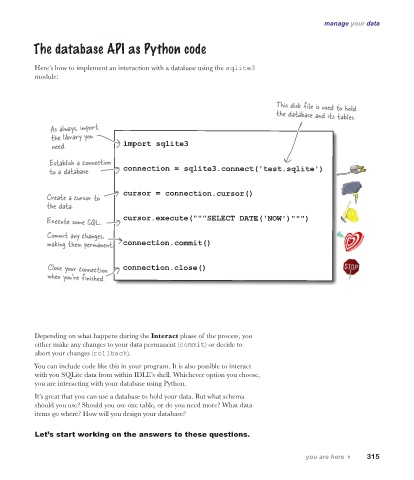
          The database API as Python code


           Here’s how to implement an interaction with a database using the sqlite3
           module:


                                                                              This disk file is used to hold
                                                                              the database and its tables.
               As always, import
               the library you
               need.               import sqlite3

               Establish a connection
               to a database.      connection = sqlite3.connect('test.sqlite')


              Create a cursor to    cursor = connection.cursor()
              the data.

              Execute some SQL.    cursor.execute("""SELECT DATE('NOW')""")

              Commit any changes,
              making them permanent.   connection.commit()


              Close your connection    connection.close()
              when you’re finished.


           Depending on what happens during the Interact phase of the process, you
           either make any changes to your data permanent (commit) or decide to
           abort your changes (rollback).

          You can include code like this in your program. It is also possible to interact
           with you SQLite data from within IDLE’s shell. Whichever option you choose,
           you are interacting with your database using Python.
           It’s great that you can use a database to hold your data. But what schema
           should you use? Should you use one table, or do you need more? What data
           items go where? How will you design your database?


           Let’s start working on the answers to these questions.

                                                                                      you are here 4    315

