


Page 182 - PDA Robotics Using Your Personal Digital Assistant to Control Your Robot
P. 182
PDA 08  5/27/03  8:47 AM  Page 158
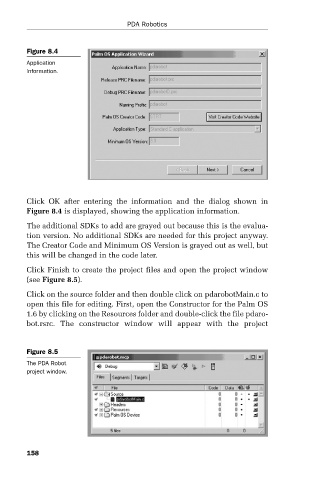
                          Figure 8.4
                          Application                PDA Robotics
                          information.


                          Click  OK  after  entering  the  information  and  the  dialog  shown  in
                          Figure 8.4 is displayed, showing the application information.

                          The additional SDKs to add are grayed out because this is the evalua-
                          tion version. No additional SDKs are needed for this project anyway.
                          The Creator Code and Minimum OS Version is grayed out as well, but
                          this will be changed in the code later.
                          Click Finish to create the project files and open the project window
                          (see Figure 8.5).
                          Click on the source folder and then double click on pdarobotMain.c to
                          open this file for editing. First, open the Constructor for the Palm OS
                          1.6 by clicking on the Resources folder and double-click the file pdaro-
                          bot.rsrc.  The  constructor  window  will  appear  with  the  project


                          Figure 8.5
                          The PDA Robot
                          project window.


                          158

