


Page 222 -
P. 222
202           Chapter 7


                           Source Line: SAP AG.
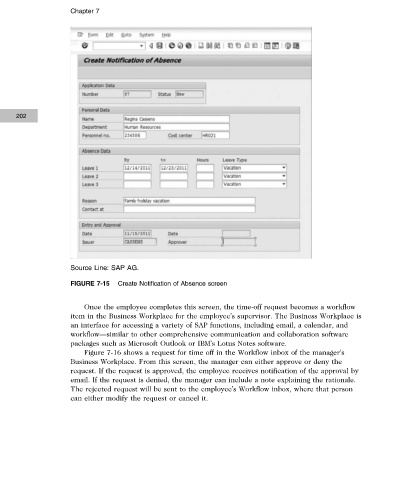
                           FIGURE 7-15  Create Notification of Absence screen


                               Once the employee completes this screen, the time-off request becomes a workflow
                           item in the Business Workplace for the employee’s supervisor. The Business Workplace is
                           an interface for accessing a variety of SAP functions, including email, a calendar, and
                           workflow—similar to other comprehensive communication and collaboration software
                           packages such as Microsoft Outlook or IBM’s Lotus Notes software.
                               Figure 7-16 shows a request for time off in the Workflow inbox of the manager’s
                           Business Workplace. From this screen, the manager can either approve or deny the
                           request. If the request is approved, the employee receives notification of the approval by
                           email. If the request is denied, the manager can include a note explaining the rationale.
                           The rejected request will be sent to the employee’s Workflow inbox, where that person
                           can either modify the request or cancel it.


                 Copyright 2012 Cengage Learning. All Rights Reserved. May not be copied, scanned, or duplicated, in whole or in part. Due to electronic rights, some third party content may be suppressed from the eBook and/or eChapter(s).
               Editorial review has deemed that any suppressed content does not materially affect the overall learning experience. Cengage Learning reserves the right to remove additional content at any time if subsequent rights restrictions require it.

