


Page 496 - Microsoft Office Excel 2003 Programming Inside Out
P. 496
Microsoft Office Excel 2003 Programming Inside Out
A foreign key is merely a secondary key in one table that is also the primary key in another
table. Foreign keys are useful for identifying a group of data that is related, such as the collec
tion of orders that was placed by a particular customer or the item numbers that comprise a
single order.
Tip Indexes Save Time
Primary keys and foreign keys are often used to optimize database access. Database
designers use the keys to create indexes on the tables, which can significantly speed up
access to a particular set of rows. Whenever possible, you should use indexes as part of
the search criteria when retrieving data from a database.
Some databases, including Microsoft Access, allow you to define an identity column. An iden
tity column (called an AutoNumber column in Access) automatically generates a new value
when a row is inserted into the table. This type of column is extremely useful as the primary
key for a table because the database guarantees that the value is always unique.
Accessing Databases from Excel
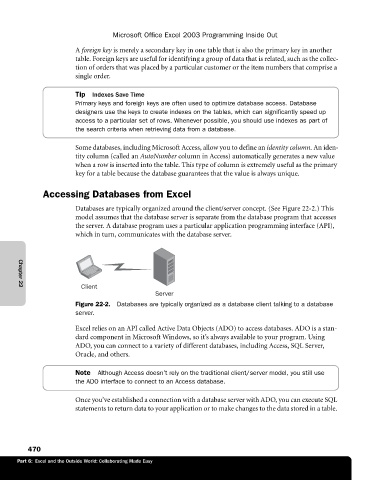
Databases are typically organized around the client/server concept. (See Figure 22-2.) This
model assumes that the database server is separate from the database program that accesses
the server. A database program uses a particular application programming interface (API),
which in turn, communicates with the database server.
Client
Chapter 22
Server
Figure 22-2. Databases are typically organized as a database client talking to a database
server.
Excel relies on an API called Active Data Objects (ADO) to access databases. ADO is a stan
dard component in Microsoft Windows, so it’s always available to your program. Using
ADO, you can connect to a variety of different databases, including Access, SQL Server,
Oracle, and others.
Note Although Access doesn’t rely on the traditional client/server model, you still use
the ADO interface to connect to an Access database.
Once you’ve established a connection with a database server with ADO, you can execute SQL
statements to return data to your application or to make changes to the data stored in a table.
470
Part 6: Excel and the Outside World: Collaborating Made Easy

