


Page 246 - The Art of Designing Embedded Systems
P. 246
A Simple Drawing System  233


                        In  addition, if  the  ECO  is  not  immediately  incorporated  into  the
                   drawing, the engineer issuing  the  ECO will mark the Master  Drawing
                   Book with the ECO and a brief description of the reason for the ECO, as
                   follows:
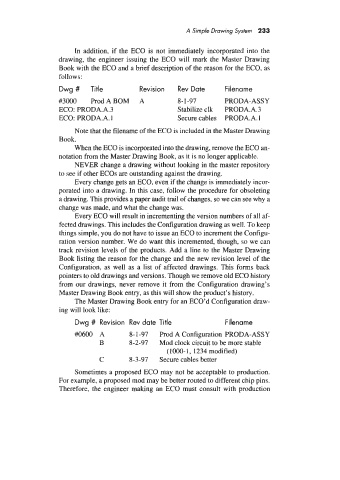
                   Dwg #     Title          Revision   Rev Date       Filename
                   #3000     ProdABOM       A          8- 1-97        PRODA-ASSY
                   ECO: PRODA.A.3                      Stabilize clk   PRODA.A.3
                   ECO: PR0DA.A. 1                     Secure cables  PR0DA.A. 1
                        Note that the filename of the ECO is included in the Master Drawing
                   Book.
                        When the ECO is incorporated into the drawing, remove the ECO an-
                   notation from the Master Drawing Book, as it is no longer applicable.
                        NEVER change a drawing without looking in the master repository
                   to see if other ECOs are outstanding against the drawing.
                        Every change gets an ECO, even if the change is immediately incor-
                   porated into a drawing. In this case, follow the procedure for obsoleting
                   a drawing. This provides a paper audit trail of changes, so we can see why a
                   change was made, and what the change was.
                        Every ECO will result in incrementing the version numbers of all af-
                   fected drawings. This includes the Configuration drawing as well. To keep
                   things simple, you do not have to issue an ECO to increment the Configu-
                   ration version number. We do want this incremented, though, so we can
                   track revision levels of  the products. Add a line to the Master Drawing
                   Book listing the reason for the change and the new revision level of the
                   Configuration, as well  as a list  of  affected  drawings.  This forms back
                   pointers to old drawings and versions. Though we remove old ECO history
                   from our drawings, never remove  it from the  Configuration  drawing’s
                   Master Drawing Book entry, as this will show the product’s history.
                        The Master Drawing Book entry for an ECO’d Configuration draw-
                   ing will look like:

                        Dwg #  Revision  Rev date  Title              Filename
                        W600  A          8- 1-97   Prod A Configuration PRODA-ASSY
                               B         8-2-97   Mod clock circuit to be more stable
                                                    ( 1OOO- 1,  1234 modified)
                               C         8-3-97   Secure cables better
                        Sometimes a proposed  ECO may not be acceptable to production.
                   For example, a proposed mod may be better routed to different chip pins.
                   Therefore, the engineer making  an ECO must  consult with  production

