


Page 387 - 02. Subyek Computer Aided Design - Beginner’s Guide to SOLIDWORKS 2019- Level 1 by Alejandro Reyes
P. 387
Detail Drawing
Layers X
OK I
Name Description Style Thickn... f
-;S;., LayerO ~ ·'·• '· I I -- Cancel J
'-·-,_..... '¥' '·"="·' - ·--- [
C Help~
New J
[
Delete J
[
Move
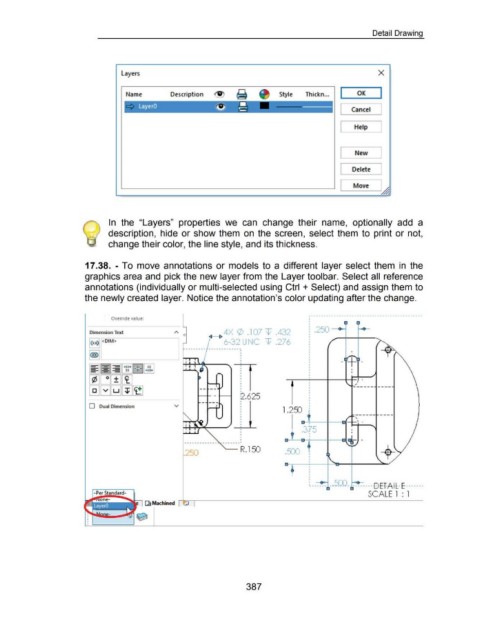
In the "Layers" properties we can change their name, optionally add a
description, hide or show them on the screen, select them to print or not,
change their color, the line style, and its thickness.
17 .38. - To move annotations or models to a different layer select them in the
graphics area and pick the new layer from the Layer toolbar. Select all reference
annotations (individually or multi-selected using Ctrl + Select) and assign them to
the newly created layer. Notice the annotation's color updating after the change.
,--------------------------------------------
Override value:
.250 - G-
Dimension Text ~-t> 4X (/) . 1 07 \f/ .432
0
l(xx)l <DIM> 6-32 UNC w .276
~
I I
~I = II =II·~~·IHHI·~~.I I I
~[3[I][I] } .
./
@]EJ~[!][g]
:2.625
0 Dual Dimension v
1.250
\
~. - -1--C ~ .
. 315 '
' '
01--l......--D--+-: - -1--C ~ -
------------- --------·
.250 '--- R.150 .500
: ________ .5_CQ_ --------0 Ei-AH:.-E-------
SCALE 1 : 1
J ~ Machined
387

