


Page 309 - Excel Progamming Weekend Crash Course
P. 309
r540629 ch22.qxd  9/2/03  9:35 AM  Page 284


                284                                                          Sunday Morning

                  Here’s the scenario for the project. A workbook is being used to maintain name and
               address data for a group of people. The workbook is named Addresses.xls, and the worksheet
               that the data is on is also called Addresses. This worksheet contains column headings for
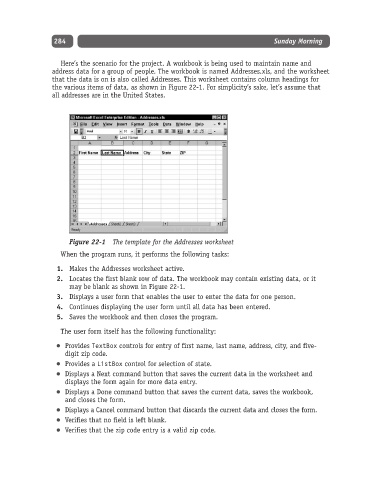
               the various items of data, as shown in Figure 22-1. For simplicity’s sake, let’s assume that
               all addresses are in the United States.


                    Figure 22-1 The template for the Addresses worksheet
                  When the program runs, it performs the following tasks:
                 1. Makes the Addresses worksheet active.
                 2. Locates the first blank row of data. The workbook may contain existing data, or it
                    may be blank as shown in Figure 22-1.
                 3. Displays a user form that enables the user to enter the data for one person.
                 4. Continues displaying the user form until all data has been entered.
                 5. Saves the workbook and then closes the program.

                  The user form itself has the following functionality:

                   Provides TextBox controls for entry of first name, last name, address, city, and five-
                   digit zip code.
                   Provides a ListBox control for selection of state.
                   Displays a Next command button that saves the current data in the worksheet and
                   displays the form again for more data entry.
                   Displays a Done command button that saves the current data, saves the workbook,
                   and closes the form.
                   Displays a Cancel command button that discards the current data and closes the form.
                   Verifies that no field is left blank.
                   Verifies that the zip code entry is a valid zip code.

