


Page 335 - Hacking Roomba
P. 335
316       Part III — More Complex Interfacing


                               Listing 14-1 Continued

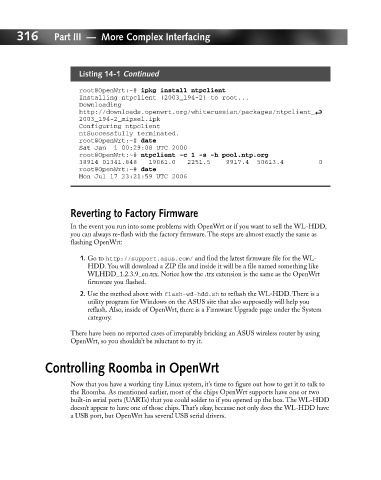
                               root@OpenWrt:~# ipkg install ntpclient
                               Installing ntpclient (2003_194-2) to root...
                               Downloading
                               http://downloads.openwrt.org/whiterussian/packages/ntpclient_ i
                               2003_194-2_mipsel.ipk
                               Configuring ntpclient
                               ntSuccessfully terminated.
                               root@OpenWrt:~# date
                               Sat Jan  1 00:29:08 UTC 2000
                               root@OpenWrt:~# ntpclient -c 1 -s -h pool.ntp.org
                               38914 01341.848   19061.0   2251.5    9917.4  50613.4         0
                               root@OpenWrt:~# date
                               Mon Jul 17 23:21:59 UTC 2006


                             Reverting to Factory Firmware

                             In the event you run into some problems with OpenWrt or if you want to sell the WL-HDD,
                             you can always re-flash with the factory firmware. The steps are almost exactly the same as
                             flashing OpenWrt:
                               1. Go to http://support.asus.com/ and find the latest firmware file for the WL-
                                 HDD. You will download a ZIP file and inside it will be a file named something like
                                 WLHDD_1.2.3.9_en.trx. Notice how the .trx extension is the same as the OpenWrt
                                 firmware you flashed.
                               2. Use the method above with flash-wd-hdd.sh to reflash the WL-HDD. There is a
                                 utility program for Windows on the ASUS site that also supposedly will help you
                                 reflash. Also, inside of OpenWrt, there is a Firmware Upgrade page under the System
                                 category.
                             There have been no reported cases of irreparably bricking an ASUS wireless router by using
                             OpenWrt, so you shouldn’t be reluctant to try it.


                     Controlling Roomba in OpenWrt

                             Now that you have a working tiny Linux system, it’s time to figure out how to get it to talk to
                             the Roomba. As mentioned earlier, most of the chips OpenWrt supports have one or two
                             built-in serial ports (UARTs) that you could solder to if you opened up the box. The WL-HDD
                             doesn’t appear to have one of those chips.That’s okay, because not only does the WL-HDD have
                             a USB port, but OpenWrt has several USB serial drivers.

