


Page 287 - Making PIC Microcontroller Instruments and Controllers
P. 287
FRG'ECT 6   247


                  lttblii6dg.!;it!:   sesment 2-set up the  ports
                    ERISA  =  %00011001
                    fRISB  =  %00111111
                    tRlsc  =  %00000110
                    tRl€D  =  %00000000
                    ERISE  =  %00000000

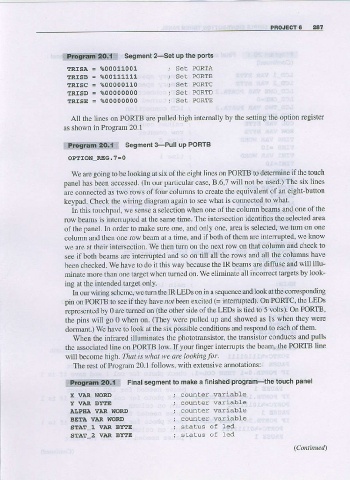
                     AII the lines or PORTB are  pulled high intemally by the settirg the oplion register
                   as shown in Program  20.1

                   *fmi.!.i.r,:eq;f::   sesment 3-pull up PoRrB
                    OPIION-REG.7=0
                     we are  going  to be looking at six of tbe eight  lircs on PORIB to determine  if the touch
                   panel  has been  accessed.  (In  our  particular case, B.6,7 will not be used.)  The six lines
                   are connected  as two rows of four colums  to create the equivalent  of an eight-button
                   keypad. Check  the wiring diagram  again to see  what is connecied  to what.
                     In this touchpad,  we sense a selection  when one  of the column  beams and one  of the
                   row beams is interupted at the same  time. The intersection identifies  the selected  area
                   of the  panel,  ln order  to make sure one,  and only one,  area is selected,  we tum on one
                   column and then one  row beam at a time, and if both of then are interrupted,  we know
                   we are at their intersectlon-  We then tum on the next row on that column and check  to
                   see if both beams  are intenupted and so on till  all the rows and all the colunns have
                   been checked.  We have to do it this way because  the IR beams  are diffuse and  will  illu-
                   minate more  than one targel  when tumed on.  We eliminate all incorrect targets  by look-
                   ing at fhe intended  target only.
                     In our widng scheme,  we tum the  IR Lms  on in a sequence  and look  at the corresponding
                   pin  on PORTB to see  if they have not been  excited  (= intemrpted) on PORTC, the  LEDS
                   represented  by 0 are turned  on (the  other side  of the LEDS  is tied to 5 volts). On PORTB'
                   the  pins will  go 0 when on. (They were  pulled up and showed  as ls when they were
                   dormant.)  We have to look at  the six  possible conditions and  respond to each of them.
                     When the infrared illuminates the  phototrarsistor,  the transistor  conducts  and  pulls
                   the associated  line on PORTB  low.Ifyour nnger  intefupts the  beam, the  PORTB line
                   will  become high. fl?dr ir what we arc looking  for.
                     The  rest of Program  20. I follows.  with exlensive annotatrons:

                                    Final segment  to make a linished  program-the  touch  panel
                   i8ft&lf,dlq:Ei
                    X  VAR  WORD                   counler   wariable
                    Y  VAR  BYTE                   counter   variabte
                    AIJPITA  VAR  WORD             counter  var:iab1e
                    BETA  VAR  WORD                counter  variabLe
                     STAT_1  VIIR  EYTE
                     STAT_2  VIIR  BYTE

