


Page 133 - Process simulation and control using Aspen
P. 133
122       PROCESS SIMULATION AND CONTROL USING ASPEN


                                                                                 dim
                                                                                  - i . 'j-i
                                                                                  -
                            I  r..|-M= IT      -i .iai,  I  ibi
                           i a SH


                             r
                                       -
                                                   1S?497652
                                                   »3*J12.;3  Br.il.
                                       -
                                         ifM IM|NMM    f
                                                   0399
                                       HE IP


                          STREAMS  DSmj  OaK  Hf.K  F M  HJfilC f  SCR  PeMFmc  Wtfwc  BeW,*
                                                               t
                                                t
                                       r
                           sti| s           I Oa  j-WWtW        Awcn PIl» - Satic  Q  G9«
                           '
                                                                     t
                               _
                                                  FIGURE 3.23
                                                                                   lalxt
                           i  Edi  Font '  \kB  '
                           irpuc SuwMry creic«d by Aspen Plus Bel. 11.1  at 10:15:40 Tho Jol  12,  2007
                           Directory c:\Pr09ran f nes'.Aspenrechvworklng foIi  Fllenw c :\users\4kjana\AppMt«\Local\Te«p- ~ ap6336. trt
                                           . working FoldersVupen plus 11.1
                          [ TITLE 'SinulatiorL of 3 Shortcut Cist Illation column'
                           I-UNITS  EPXC
                          Ikf-STREjWS COMVEW ALL
                            f
                          besciiPTiON -
                            Central simulation with Eoallih units :
                            F . ps l, Ib/hr , Ibool/hr, Btu/hr. coft/hr.
                            property Method: nort
                            Flow basis for Input: Mole
                            Strea* report composition: HoU flow
                          PSOP-SDUSCES PUHEll
                          C0KPOMEKTS
                            ETHANE C2H5 /
                            ElKfLEKE C2H>
                          PROPERTIES Pk-SOAVE
                          PROP-OATA RirSKD-l
                            IH-W.ITS ENC
                            PROP-LIST  BKSKI3
                                          r
                            BPVAL ETHANE ETHYLENE . OlOOMOfiJO
                            BPVAL ETMYLENE ETHANE  .0100000000
                          iTREW  F
                            S085TRE»t fIXEO TEKP"' 5.  PRES-1S .
                                           t«0LE-FLOW-200 .
                            M016-FRAC ETHANE 0.6  -  ETWlENt 0 , 4
                                   - »±        | . <1A .1I.». |Hn««»|.« | Mj  ynn |  |
                                                 FIGURE 3.24
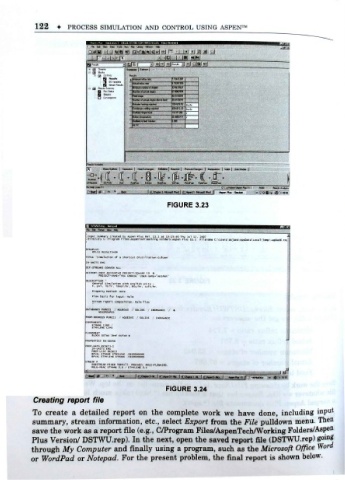
           Creating report file
                                                                                  including input
           To create a detailed report on the complete work we have done ,
           summary, stream information, etc., select Export from the File pulldown menu. The     n
           save the work as a report file (e.g., C/Program Files/AspenTech/Working Folders/Asp  en
          Plus Version/ DSTWU.rep). In the next, open the saved report file (DSTWU.rep) going
          through My Computer and finally using a program, such as the Microsoft Office Wor     d
          or WordPad or Notepad. For the present problem, the final report is shown      below.

