


Page 164 - Process simulation and control using Aspen
P. 164
ASPEN PLUS SIMULATION OF DISTILLATION MODELS              151


                                           mm
                                                       ' Mm.
                                              1
                                       linn  v-
                                              . ..

                                                       L -EJ J-J


                                                           . . ..

                                           FIGURE 3.63

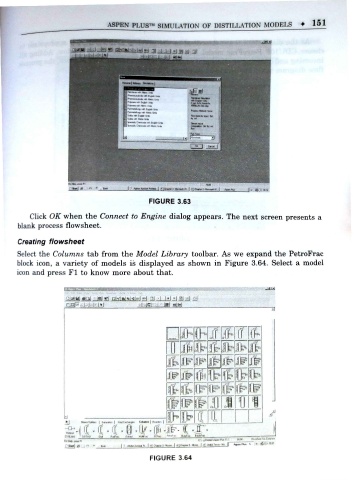
         Click OK when the Connect to Engine dialog appears. The next screen presents a
      blank process flowsheet.

      Creating flowsheet
      Select the Columns tab from the Model Library toolbar. As we expand the PetroFrac
      block icon, a variety of models is displayed as shown in Figure 3.64. Select a model
      icon and press Fl to know more about that.


                    rinF. I- I-h HI      I .Ml  I  lal  iN


                                                            J? if" IT
                                                 [1         it Jb      Jt

                                                & ir        if

                                                ir              #      lb
                                                 .
                                                ft      ir Op
                                                    tr ffc*  c  J       1     -
                                                             a
                   4                            i> Bp
                                           . | turn* t        .
                                                # . I -
                                                               W 11 1

                                           FIGURE 3.64

