


Page 159 - Process simulation and control using Aspen
P. 159
146      PROCESS SIMULATION AND CONTROL USING ASPEN

     Viewing input summary
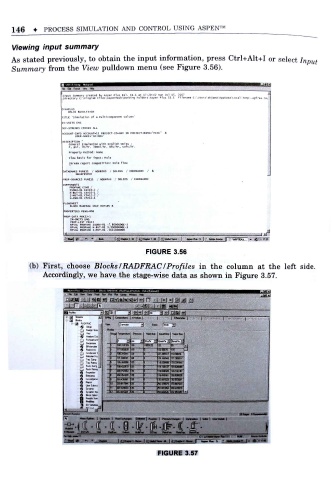
    As stated previously, to obtain the input information, press Ctrl+Alt+I or select Input
     Summary from the View pulldown menu (see Figure 3.56).


                    imut Su«Hry cr«««d by Ajp«r Clul R«l. 11-1 it VMM Sun )u l  IS,  2007
                    ;Dlr«tory c  ' .froqriM fil« .AipefiT«ch\**ork1ng Folders Aspen Plus 11.1  Fileniw C  userj  ijjn* *ppOjt« local T*<Bp -*pt>a cn,

                    tiuC  " SlBuUllor of a IMdCtCMpMM Colo o "
                    Is-unITS CNG
                    EXF-STREWS CONVIN ALL
                                               "  "
                    ACCOUMT-INFO ACCOUHT-ll PROJECT-IO-AHY ID PRO JECT-NWI- FINE
                             "
                        USE R - HAf E " AK J AH*  '
                    OtStRIPTION  '
                      C»n»ral Slaulation wtth English units ;
                      f, psl. Ib-tv. Itaol/hr. Btu hr. cuft/hr.
                      property method: none
                      fIoh basis for Input: Nola
                      Strcan report cowposlclon: t»ol« fl«
                              AOUEOUS  / 50LIOS  / INOBGANIC  , '  A
                    PROP-SOURCES POREll  . aflUEOUS  ,' SOLIDS  / INORGANIC
                    CWPOWMTS
                      PROPAXE ClHS ,'
                      ISO»U-0l C4HI0-Z ,'
                      N-«VT-01 CAMlO-l /
                      2-t«ET-01 CiMl2-2 /
                      N-PEN-&1 C5H12-1
                      rSHCET
                      BLOCK RAOFR.AC  IN-F OVT-OV B
                    PROPERTIES PEMG-ROB
                      > -DATA PRKIJ-1
                      IN-UH1TS CPKt
                      PROP-LiyT  PRKI)
                      BPVAL  PROPAME  ISOSU-01  -7.BOOOOOOE-3
                      BPVAL PROPAhE N-BUT-01  3.300000001-3
                      BPVAL  PROPANE  2-MET-01  .0111000000
                                                           f
                                                                   r
                    . tol #  f>  "  to*  t QwpW M I JO  IW l lhAJT M- [  wnta 5 } > AtWwAot* ||  -APF7EAJ  >  1 17a>
                     ' .
                                             FIGURE 3.56
          (b) First, choose Blocks /RADFRAC /Profiles in the column at the left side
              Accordingly, we have the stage-wise data as shown in Figure 3. 57.
                                mm               J >>j am w
                      3fl *«-   rmi I c         1
                                                     Vapofto.
                           F  oawnd  r  *j
                                                Tiit
                                            1   tasoU 1 B -- to
                                                    "
                                  3      aj  i
                                        '
                                     9TIJ3K?SI  20  i  171 385017
                           T- ft c I  195 3*a»6  20  j
                                         20  i   liJnuiiJlii  i
                                    ;oo  3a r  20  i
                                    201354309  ia  i
                                  9  anwsssi }»
                                  lit
                                  n     121)         ;: - .  . - i
                                  llJ               || :iT:;nr-si
                    fir            I HME                     | Mh | M.UoM |
                                                                              J
                    STntAMS                   jgwc  tW-«  H«f.>i  *mtr»C
                                                       r

                                                FIGURE 3.57

