


Page 157 - Process simulation and control using Aspen
P. 157
144   -f  PROCESS SIMULATION AND CONTROL USING ASPEN1
                      mmmamm
                       RU>  &H  \Aew  Dats  Tec*
                       i r-i y i nr          am i m


                         - J <
                        .
                                        St«V9
                                     ' joc*w.
                                         Ugp
                                     1     19
                           PAOFRAC             1
                                   *
                            Mm CM
                            C vientm hi
                            Pock Sa j
                            EMMm
                            Report
                            User Suooj-
                      LiJ_
                                                          f -r.
                      STREAM?
                                                                          NUM  o
                                                                         Mobetuot* It
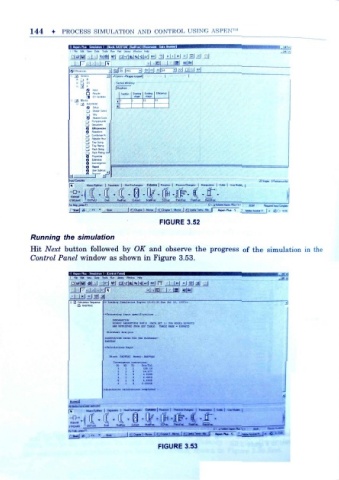
                                                FIGURE 3.52
          Running the simulation

                f
          Hit Acci button followed by OK and observe the progress of the simulation in
          Control Panel window as shown in Figure 3.53.

                           t
                       Fe t  E*  Vew  0«e  To .  Run  Jbnrf VHvhw
                      ±Jjij
                                < Loading SlmXat cn Jngtn* lS:61r33 i
                        D RADFRAC
                                »;rDC«8»ing Input .p»ciftc»ti .=Ti«  , . .
                                  IHTOUUTTflH
                                  eitJAfly PUJutfOTiRS paru  can* set d  roa hoo«l SEParrD
                                  mie muivn from scf tasli .  xuu kms - lsptste


                                 slock: ftirraxc  maids a*cnuc

                                            «  esM
                                            1 .2195
                                           c  ;j*4t

                      Jsasll
                                                | (Won | Pa-nOwvn
                           M«ii<$«aM> I SeMJtJ. I H«<£«»«w fill
                      f "  M«.iJSra»> I S.O.*.. I IMiM vr-  CM  I Rajrtai | IWnCh n | | MnuM i
                      " V J
                          ' OSIVAJ  Dfl«  Rfwc  MJf«  iCfiK  FWrfnc  R ft*:  gaafwe
                                    r
                      STREAMS  OSTWU
                                                        J'j  jT«-tc, f        i-  *
                                                FIGURE 3.53

