


Page 211 - Separation process engineering
P. 211
separation should not be possible since the external reflux ratio (L/D) is too low. See what happens
                         as you increase L/D (try 4 and 8).
                       i. Try varing different settings for Operating Specifications in the Radfrac Setup-DataBrowser. For

                         example, pick a condenser duty instead of distillate flow rate that will give the same specification.
                       j. Add 1,1,1 trichloroethane to your component list. Run analysis for 1,2-dichloroethane and 1,1,1
                         trichloroethane. Calculate α    Di−1,1,1tri .

                    In the appendix to Chapter 6 we will use process simulators for multicomponent distillation calculations.

                    One caveat applies to these and all other simulations. The program can only solve the problem that you
                    give it. If you make a mistake in the input (e.g., by not including a minor component that appears in the
                    plant) the simulator cannot predict what will actually happen in the plant. A simulation that is correct for
                    the problem given it is not helpful if that problem does not match plant conditions. Chemical engineering
                    judgment must always be applied when using the process simulator (Horwitz, 1998).

                    Chapter 4 Appendix B. Spreadsheets for Binary Distillation


                    The Lewis method for binary distillation is easy to program on a spreadsheet using Visual Basic for
                    Applications (VBA). If you are not familiar with VBA, read Appendix 4.B. Part 1. If you are familiar
                    with VBA, you can skip Part 1 and proceed to Part 2.

                    Appendix 4.B. Part 1. Introduction to Spreadsheets and VBA

                    Most engineering students are familiar with the use of spreadsheets, but they may not be familiar with the
                    power of spreadsheets when they are coupled with VBA. VBA is an extremely useful programming
                    language for controlling spreadsheets, Word, and other Microsoft programs. This short introduction
                    focuses on use of VBA for spreadsheet calculations. The particular example is binary distillation, but the
                    VBA programming method is applicable to many of the separation methods in this book. Readers
                    interested in more information on VBA are referred to Microsoft (1999) or McFedries (2004).
                    Once you have learned to program with any language (MATLAB, Mathematica, FORTRAN, C, C++, or

                    whatever) you can learn additional languages on your own. The easiest way to learn a new programming
                    language is usually to study a few basic concepts and have available lists that delineate different
                    programming steps, study and run a simple program that illustrates the basic features, and then create your
                    own program by mimicking other programs. Facility comes with practice. A simple program is presented
                    here, and other examples are in the appendices to Chapters 5 and 17.

                    VBA extends the usefulness of spreadsheets by allowing the programmer to include loops and logic
                    decisions. Input and output is done through the spreadsheet, and the VBA editor is accessed through
                    Excel. Most math symbols and functions are the same as in Excel. The basic math operations are +, −, *
                    (multiply), /, and ^ (exponentiation). Math functions are written as Function (variable). For example, the
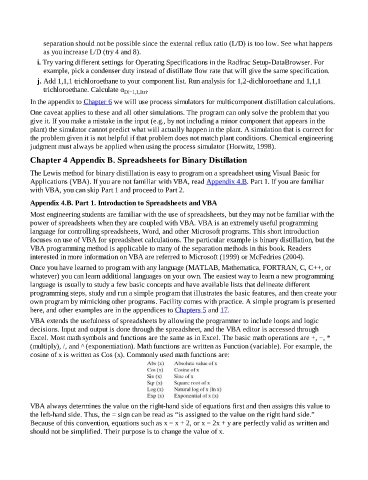
                    cosine of x is written as Cos (x). Commonly used math functions are:


                    VBA always determines the value on the right-hand side of equations first and then assigns this value to
                    the left-hand side. Thus, the = sign can be read as “is assigned to the value on the right hand side.”
                    Because of this convention, equations such as x = x + 2, or x = 2x + y are perfectly valid as written and
                    should not be simplified. Their purpose is to change the value of x.

