


Page 204 - Basics of MATLAB and Beyond
P. 204
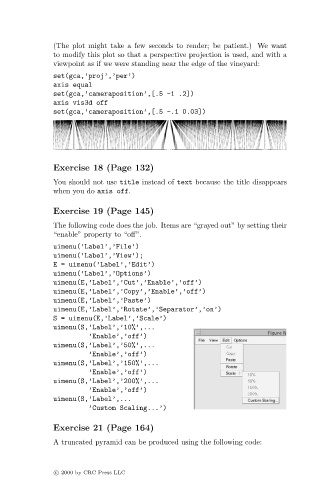
(The plot might take a few seconds to render; be patient.) We want
                               to modify this plot so that a perspective projection is used, and with a
                               viewpoint as if we were standing near the edge of the vineyard:
                               set(gca,’proj’,’per’)
                               axis equal
                               set(gca,’cameraposition’,[.5 -1 .2])
                               axis vis3d off
                               set(gca,’cameraposition’,[.5 -.1 0.03])


                               Exercise 18 (Page 132)
                               You should not use title instead of text because the title disappears
                               when you do axis off.

                               Exercise 19 (Page 145)

                               The following code does the job. Items are “grayed out” by setting their
                               “enable” property to “off”.
                               uimenu(’Label’,’File’)
                               uimenu(’Label’,’View’);
                               E = uimenu(’Label’,’Edit’)
                               uimenu(’Label’,’Options’)
                               uimenu(E,’Label’,’Cut’,’Enable’,’off’)
                               uimenu(E,’Label’,’Copy’,’Enable’,’off’)
                               uimenu(E,’Label’,’Paste’)
                               uimenu(E,’Label’,’Rotate’,’Separator’,’on’)
                               S = uimenu(E,’Label’,’Scale’)
                               uimenu(S,’Label’,’10%’,...
                                        ’Enable’,’off’)
                               uimenu(S,’Label’,’50%’,...
                                        ’Enable’,’off’)
                               uimenu(S,’Label’,’150%’,...
                                        ’Enable’,’off’)
                               uimenu(S,’Label’,’200%’,...
                                        ’Enable’,’off’)
                               uimenu(S,’Label’,...
                                        ’Custom Scaling...’)

                               Exercise 21 (Page 164)

                               A truncated pyramid can be produced using the following code:


                               c   2000 by CRC Press LLC

