


Page 497 - Excel 2007 Bible
P. 497
28_044039 ch22.qxp  11/21/06  11:12 AM  Page 454
                                  Part III
                                              Creating Charts and Graphics
                                                         Want a Great Graphics File Viewer?
                                             any users are content to use the graphics file-viewing capabilities built into Windows. But if you do a lot
                                         Mof work with graphics files, you owe it to yourself to get a real file-viewing program.
                                         Many graphics viewers are available, but one of the best products in its class is IrfanView. It enables you to
                                         view just about any graphics file you can find, and it has features and options that will satisfy even hard-core
                                         graphics mavens. Best of all, it’s free. To download a copy, visit www.irfanview.com.
                                             You can find thousands of graphics files free for the taking on the Internet. Be aware, however, that some
                                             graphic files have copyright restrictions.
                                                       Using bitmap graphics in a worksheet can dramatically increase the size of your workbook,
                                        CAUTION
                                        CAUTION
                                                       resulting in more memory usage and longer load and save times.
                                             Using the Clip Art task pane
                                             The Clip Art task pane is a shared program that is also accessible from other Microsoft Office applications.
                                             Besides providing an easy way to locate and insert images, the task pane lets you insert sound and video
                                             files. This tool also gives you direct access to Microsoft’s Design Gallery Live on the Web.
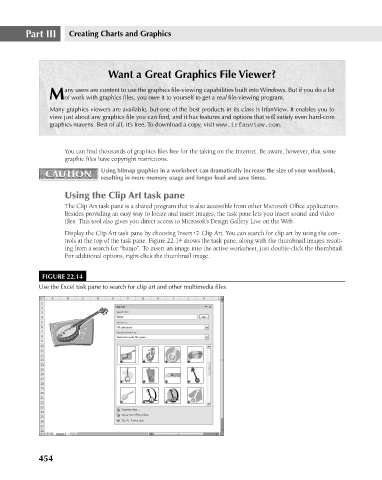
                                             Display the Clip Art task pane by choosing Insert ➪ Clip Art. You can search for clip art by using the con-
                                             trols at the top of the task pane. Figure 22.14 shows the task pane, along with the thumbnail images result-
                                             ing from a search for “banjo”. To insert an image into the active worksheet, just double-click the thumbnail.
                                             For additional options, right-click the thumbnail image.
                                       FIGURE 22.14
                                      Use the Excel task pane to search for clip art and other multimedia files.


                                      454

