


Page 301 -
P. 301
P
                                T
                272   P a r t   V :  a r t   V :    T h e   G r e e n i n g   P r o c e s sh e   G r e e n i n g   P r o c e s s
                272


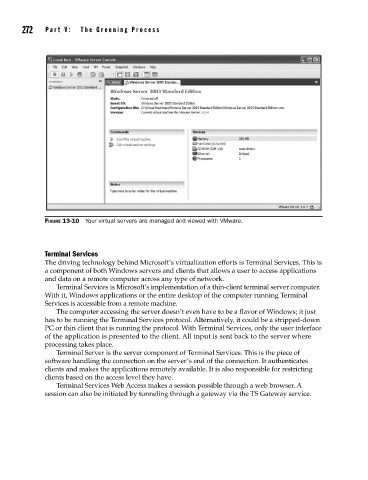
                      FIGURE 13-10  Your virtual servers are managed and viewed with VMware.


                      Terminal Services
                      The driving technology behind Microsoft’s virtualization efforts is Terminal Services. This is
                      a component of both Windows servers and clients that allows a user to access applications
                      and data on a remote computer across any type of network.
                         Terminal Services is Microsoft’s implementation of a thin-client terminal server computer.
                      With it, Windows applications or the entire desktop of the computer running Terminal
                      Services is accessible from a remote machine.
                         The computer accessing the server doesn’t even have to be a flavor of Windows; it just
                      has to be running the Terminal Services protocol. Alternatively, it could be a stripped-down
                      PC or thin client that is running the protocol. With Terminal Services, only the user interface
                      of the application is presented to the client. All input is sent back to the server where
                      processing takes place.
                         Terminal Server is the server component of Terminal Services. This is the piece of
                      software handling the connection on the server’s end of the connection. It authenticates
                      clients and makes the applications remotely available. It is also responsible for restricting
                      clients based on the access level they have.
                         Terminal Services Web Access makes a session possible through a web browser. A
                      session can also be initiated by tunneling through a gateway via the TS Gateway service.

