


Page 300 -
P. 300
G
                                                  C
                                                  C h a p t e r   1 3 :  h a p t e r   1 3 :    G r e e n i n g   Yo u r   I n f o r m a t i o n   S y s t e m s  r e e n i n g   Yo u r   I n f o r m a t i o n   S y s t e m s    271 271


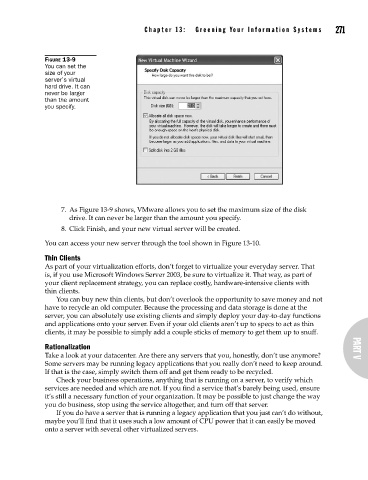
                      FIGURE 13-9
                      You can set the
                      size of your
                      server’s virtual
                      hard drive. It can
                      never be larger
                      than the amount
                      you specify.


                           7.  As Figure 13-9 shows, VMware allows you to set the maximum size of the disk
                             drive. It can never be larger than the amount you specify.
                           8.  Click Finish, and your new virtual server will be created.

                      You can access your new server through the tool shown in Figure 13-10.
                      Thin Clients
                      As part of your virtualization efforts, don’t forget to virtualize your everyday server. That
                      is, if you use Microsoft Windows Server 2003, be sure to virtualize it. That way, as part of
                      your client replacement strategy, you can replace costly, hardware-intensive clients with
                      thin clients.
                         You can buy new thin clients, but don’t overlook the opportunity to save money and not
                      have to recycle an old computer. Because the processing and data storage is done at the
                      server, you can absolutely use existing clients and simply deploy your day-to-day functions
                      and applications onto your server. Even if your old clients aren’t up to specs to act as thin
                      clients, it may be possible to simply add a couple sticks of memory to get them up to snuff.
                      Rationalization                                                                       PART V
                      Take a look at your datacenter. Are there any servers that you, honestly, don’t use anymore?
                      Some servers may be running legacy applications that you really don’t need to keep around.
                      If that is the case, simply switch them off and get them ready to be recycled.
                         Check your business operations, anything that is running on a server, to verify which
                      services are needed and which are not. If you find a service that’s barely being used, ensure
                      it’s still a necessary function of your organization. It may be possible to just change the way
                      you do business, stop using the service altogether, and turn off that server.
                         If you do have a server that is running a legacy application that you just can’t do without,
                      maybe you’ll find that it uses such a low amount of CPU power that it can easily be moved
                      onto a server with several other virtualized servers.

