


Page 140 - Lean six sigma demystified
P. 140
Chapter 4  e xC e L   Power  Too LS   for   Lean   Six   Sigm a        119


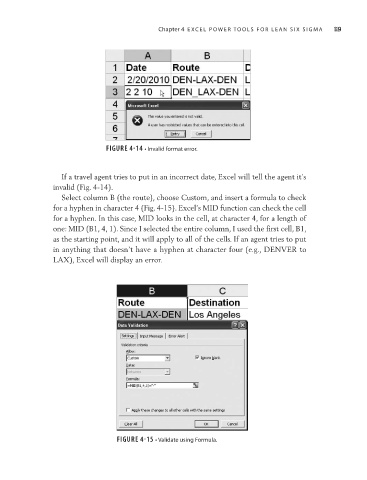
                                          FIGURE 4-14 • Invalid format error.


                             If a travel agent tries to put in an incorrect date, Excel will tell the agent it’s
                           invalid (Fig. 4-14).
                             Select column B (the route), choose Custom, and insert a formula to check
                           for a hyphen in character 4 (Fig. 4-15). Excel’s MID function can check the cell
                           for a hyphen. In this case, MID looks in the cell, at character 4, for a length of
                           one: MID (B1, 4, 1). Since I selected the entire column, I used the first cell, B1,
                           as the starting point, and it will apply to all of the cells. If an agent tries to put
                           in anything that doesn’t have a hyphen at character four (e.g., DENVER to
                           LAX), Excel will display an error.


                                             FIGURE 4-15 • Validate using Formula.

