


Page 369 - Mastering SolidWorks
P. 369
|
                                                              Controlling iteMs With Configurations    343


                       careful how you use this switch. It also can increase the file size. Very often there is a trade-off
                       between options like this and some other variable. You must decide for yourself what is most
                       valuable to you.

                    Using the Modify Dialog Box
                    The Modify dialog box enables you to change dimensions by just double-clicking the dimension
                    and changing the value. When you change a dimension using the Modify dialog box in a part
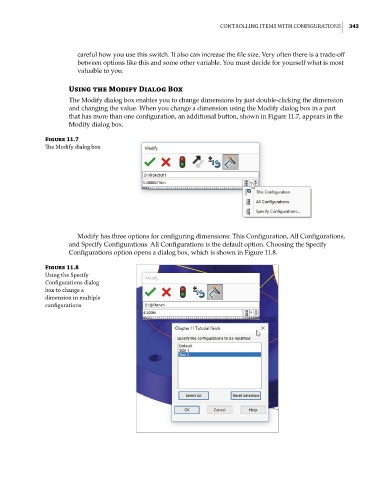
                    that has more than one configuration, an additional button, shown in Figure 11.7, appears in the
                    Modify dialog box.

              Figure 11.7
              The Modify dialog box


                       Modify has three options for configuring dimensions: This Configuration, All Configurations,
                    and Specify Configurations. All Configurations is the default option. Choosing the Specify
                    Configurations option opens a dialog box, which is shown in Figure 11.8.

              Figure 11.8
              using the specify
              Configurations dialog
              box to change a
              dimension in multiple
              configurations

