


Page 325 -
P. 325
11  The Worklet Service                                         321


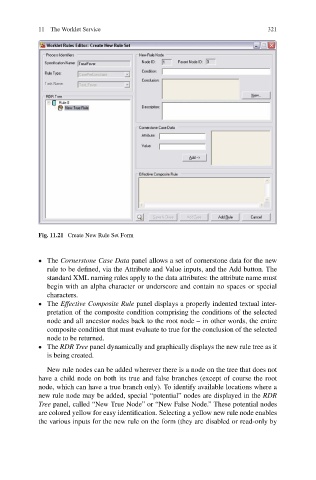
                           Fig. 11.21 Create New Rule Set Form


                             The Cornerstone Case Data panel allows a set of cornerstone data for the new
                              rule to be defined, via the Attribute and Value inputs, and the Add button. The
                              standard XML naming rules apply to the data attributes: the attribute name must
                              begin with an alpha character or underscore and contain no spaces or special
                              characters.
                             The Effective Composite Rule panel displays a properly indented textual inter-
                              pretation of the composite condition comprising the conditions of the selected
                              node and all ancestor nodes back to the root node – in other words, the entire
                              composite condition that must evaluate to true for the conclusion of the selected
                              node to be returned.
                             The RDR Tree panel dynamically and graphically displays the new rule tree as it
                              is being created.

                              New rule nodes can be added wherever there is a node on the tree that does not
                           have a child node on both its true and false branches (except of course the root
                           node, which can have a true branch only). To identify available locations where a
                           new rule node may be added, special “potential” nodes are displayed in the RDR
                           Tree panel, called “New True Node” or “New False Node.” These potential nodes
                           are colored yellow for easy identification. Selecting a yellow new rule node enables
                           the various inputs for the new rule on the form (they are disabled or read-only by

