


Page 346 -
P. 346
ChaPter 11  •  Designing effeCtive outPut     313

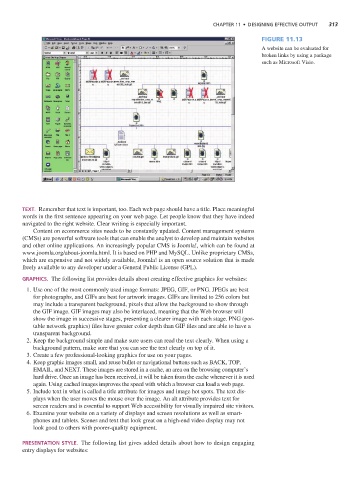
                                                                                                   Figure 11.13
                                                                                                   A website can be evaluated for
                                                                                                   broken links by using a package
                                                                                                   such as Microsoft Visio.


                    TexT.  Remember that text is important, too. Each web page should have a title. Place meaningful
                    words in the first sentence appearing on your web page. Let people know that they have indeed
                    navigated to the right website. Clear writing is especially important.
                       Content on ecommerce sites needs to be constantly updated. Content management systems
                    (CMSs) are powerful software tools that can enable the analyst to develop and maintain websites
                    and other online applications. An increasingly popular CMS is Joomla!, which can be found at
                    www.joomla.org/about-joomla.html. It is based on PHP and MySQL. Unlike proprietary CMSs,
                    which are expensive and not widely available, Joomla! is an open source solution that is made
                    freely available to any developer under a General Public License (GPL).

                    graphics.  The following list provides details about creating effective graphics for websites:
                      1. Use one of the most commonly used image formats: JPEG, GIF, or PNG. JPEGs are best
                       for photographs, and GIFs are best for artwork images. GIFs are limited to 256 colors but
                       may include a transparent background, pixels that allow the background to show through
                       the GIF image. GIF images may also be interlaced, meaning that the Web browser will
                       show the image in successive stages, presenting a clearer image with each stage. PNG (por-
                       table network graphics) files have greater color depth than GIF files and are able to have a
                       transparent background.
                      2. Keep the background simple and make sure users can read the text clearly. When using a
                       background pattern, make sure that you can see the text clearly on top of it.
                      3. Create a few professional-looking graphics for use on your pages.
                      4. Keep graphic images small, and reuse bullet or navigational buttons such as BACK, TOP,
                       EMAIL, and NEXT. These images are stored in a cache, an area on the browsing computer’s
                       hard drive. Once an image has been received, it will be taken from the cache whenever it is used
                       again. Using cached images improves the speed with which a browser can load a web page.
                      5. Include text in what is called a title attribute for images and image hot spots. The text dis-
                       plays when the user moves the mouse over the image. An alt attribute provides text for
                       screen readers and is essential to support Web accessibility for visually impaired site visitors.
                      6. Examine your website on a variety of displays and screen resolutions as well as smart-
                       phones and tablets. Scenes and text that look great on a high-end video display may not
                       look good to others with poorer-quality equipment.


                    presenTaTion sTyle.  The following list gives added details about how to design engaging
                    entry displays for websites:

