


Page 347 -
P. 347
314     Part 4  •  the essentials of Design


                                                                          MaC appeal


                                              There are many different approaches to creating websites. Coders want as much control over the
                                              HTML code as possible, but many designers aren’t very interested in tweaking the code. Good
                                              designers want to be able to include many different items in both graphics and text, rotate and
                                              enhance images, format them in carefully thought-out designs, and make them appear just right in
                                              any browser and in any resolution. There are many WYSIWYG (what you see is what you get) pack-
                                              ages available that allow designers to do this, both on a Mac and a PC. Some of these packages work
                                              well, but others don’t.
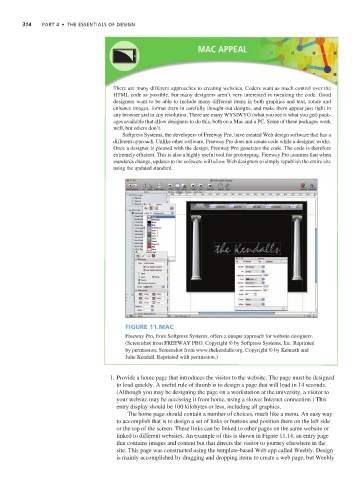
                                                 Softpress Systems, the developers of Freeway Pro, have created Web design software that has a
                                              different approach. Unlike other software, Freeway Pro does not create code while a designer works.
                                              Once a designer is pleased with the design, Freeway Pro generates the code. The code is therefore
                                              extremely efficient. This is also a highly useful tool for prototyping. Freeway Pro assumes that when
                                              standards change, updates to the software will allow Web designers to simply republish the entire site
                                              using the updated standard.


                                                  Figure 11.MAC
                                                  Freeway Pro, from Softpress Systems, offers a unique approach for website designers.
                                                  (Screenshot from FREEWAY PRO. Copyright © by Softpress Systems, Inc. Reprinted
                                                  by permission; Screenshot from www.thekendalls.org. Copyright © by Kenneth and
                                                  Julie Kendall. Reprinted with permission.)


                                              1. Provide a home page that introduces the visitor to the website. The page must be designed
                                               to load quickly. A useful rule of thumb is to design a page that will load in 14 seconds.
                                               (Although you may be designing the page on a workstation at the university, a visitor to
                                               your website may be accessing it from home, using a slower Internet connection.) This
                                               entry display should be 100 kilobytes or less, including all graphics.
                                                   The home page should contain a number of choices, much like a menu. An easy way
                                               to accomplish that is to design a set of links or buttons and position them on the left side
                                               or the top of the screen. These links can be linked to other pages on the same website or
                                               linked to different websites. An example of this is shown in Figure 11.14, an entry page
                                               that contains images and content but that directs the visitor to journey elsewhere in the
                                               site. This page was constructed using the template-based Web app called Weebly. Design
                                               is mainly accomplished by dragging and dropping items to create a web page, but Weebly

