


Page 209 - Finite Element Analysis with ANSYS Workbench
P. 209
200 Chapter 10 Thermal Stress Analysis
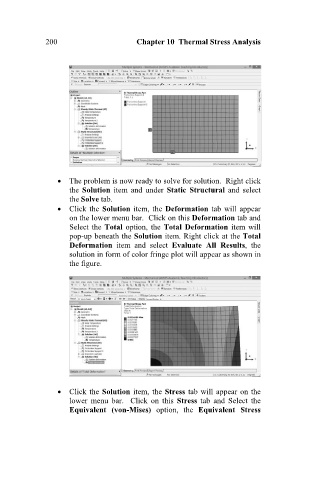
The problem is now ready to solve for solution. Right click
the Solution item and under Static Structural and select
the Solve tab.
Click the Solution item, the Deformation tab will appear
on the lower menu bar. Click on this Deformation tab and
Select the Total option, the Total Deformation item will
pop-up beneath the Solution item. Right click at the Total
Deformation item and select Evaluate All Results, the
solution in form of color fringe plot will appear as shown in
the figure.
Click the Solution item, the Stress tab will appear on the
lower menu bar. Click on this Stress tab and Select the
Equivalent (von-Mises) option, the Equivalent Stress

