


Page 207 - Finite Element Analysis with ANSYS Workbench
P. 207
198 Chapter 10 Thermal Stress Analysis
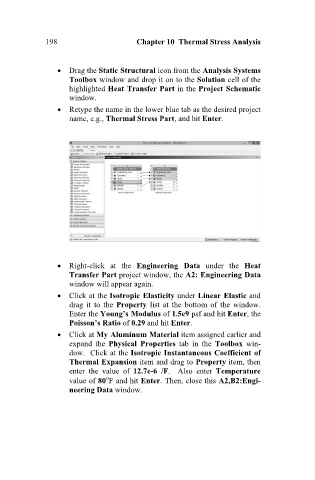
Drag the Static Structural icon from the Analysis Systems
Toolbox window and drop it on to the Solution cell of the
highlighted Heat Transfer Part in the Project Schematic
window.
Retype the name in the lower blue tab as the desired project
name, e.g., Thermal Stress Part, and hit Enter.
Right-click at the Engineering Data under the Heat
Transfer Part project window, the A2: Engineering Data
window will appear again.
Click at the Isotropic Elasticity under Linear Elastic and
drag it to the Property list at the bottom of the window.
Enter the Young’s Modulus of 1.5e9 psf and hit Enter, the
Poisson’s Ratio of 0.29 and hit Enter.
Click at My Aluminum Material item assigned earlier and
expand the Physical Properties tab in the Toolbox win-
dow. Click at the Isotropic Instantaneous Coefficient of
Thermal Expansion item and drag to Property item, then
enter the value of 12.7e-6 /F. Also enter Temperature
value of 80 F and hit Enter. Then, close this A2,B2:Engi-
neering Data window.

