


Page 359 - Mastering SolidWorks
P. 359
|
        332   CHAPTER 10  USIng EqUATIOnS


                       7.  Click Rebuild, press Ctrl+B or Ctrl+Q to rebuild the model, and observe whether any
                          update takes place.
                       8.  Rename the 6.00-inch dimension for the height of the revolved feature to DomeHt.
                       9.  Create a second equation that drives the DomeHt dimension at the current ratio of the
                          height to the radius.
                          a.  In the Equations dialog box, create a global variable called Ratio = 6/3.6 (1.66667).
                          b.  Create the equation. The equation takes the form of DomeHt = (Ratio) × CapRad. You
                             can use the drop-down list under the calculator pad to select the Ratio variable
                             from the list.
                      10.  Use a variable to make the radii of Fillet1 and Fillet2 the same.
                      11.  Double-click the Revolve feature. Change the CapRad dimension to 5 and rebuild. You
                          should observe three feet. Change it again to 6, and you should see four feet.
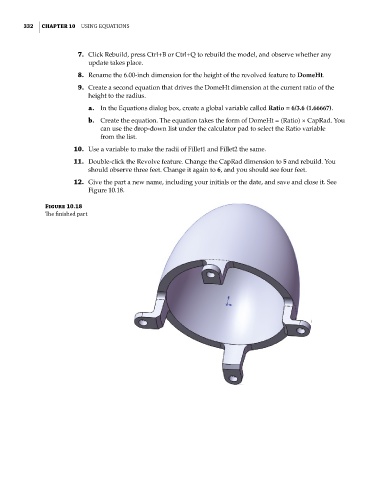
                      12.  Give the part a new name, including your initials or the date, and save and close it. See
                          Figure 10.18.

              Figure 10.18
              The finished part

