


Page 186 - Basics of MATLAB and Beyond
P. 186
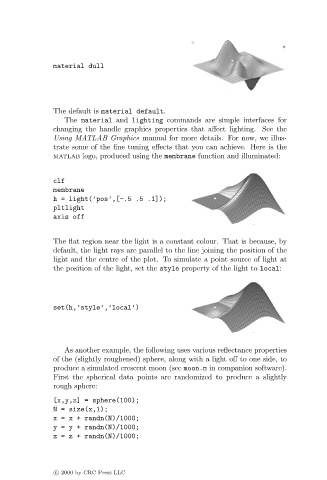
material dull


                               The default is material default.
                                  The material and lighting commands are simple interfaces for
                               changing the handle graphics properties that affect lighting. See the
                               Using MATLAB Graphics manual for more details. For now, we illus-
                               trate some of the fine tuning effects that you can achieve. Here is the
                               matlab logo, produced using the membrane function and illuminated:


                               clf
                               membrane
                               h = light(’pos’,[-.5 .5 .1]);
                               pltlight
                               axis off


                               The flat region near the light is a constant colour. That is because, by
                               default, the light rays are parallel to the line joining the position of the
                               light and the centre of the plot. To simulate a point source of light at
                               the position of the light, set the style property of the light to local:


                               set(h,’style’,’local’)


                                  As another example, the following uses various reflectance properties
                               of the (slightly roughened) sphere, along with a light off to one side, to
                               produce a simulated crescent moon (see moon.m in companion software).
                               First the spherical data points are randomized to produce a slightly
                               rough sphere:

                               [x,y,z] = sphere(100);
                               N = size(x,1);
                               x=x+ randn(N)/1000;
                               y=y+ randn(N)/1000;
                               z=z+ randn(N)/1000;


                               c   2000 by CRC Press LLC

