


Page 527 - Microsoft Office Excel 2003 Programming Inside Out
P. 527
Excel Query Program

                             The logic in the DeleteCommandBar routine is similar to the logic in the AddCommandBar
                             routine that ensures that the command bar doesn’t exist before creating a new one. Error
                             checking is disabled, and a temporary object reference to the CommandBar object is created
                             from the CommandBars collection. If the temporary object reference is valid, the Delete method
                             is used to remove the entire command bar with all its command bar controls from Excel.

                             Sub DeleteCommandBar()
                             Dim c As CommandBar

                             On Error Resume Next
                             Set c = Application.CommandBars("Excel2k3 VBA Query")
                             If Not c Is Nothing Then
                                 Application.CommandBars("Excel2k3 VBA Query").Delete

                             End If
                             End Sub


                    Connecting to a Database

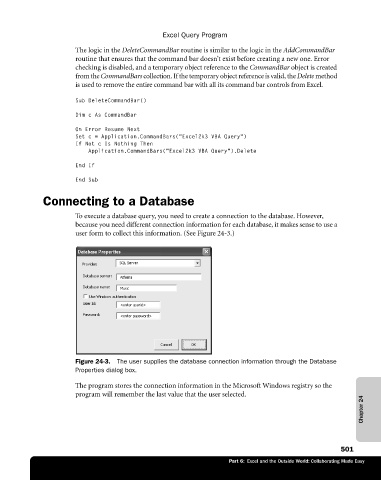
                             To execute a database query, you need to create a connection to the database. However,
                             because you need different connection information for each database, it makes sense to use a
                             user form to collect this information. (See Figure 24-3.)


                             Figure 24-3.  The user supplies the database connection information through the Database
                             Properties dialog box.

                             The program stores the connection information in the Microsoft Windows registry so the
                             program will remember the last value that the user selected.
                                                                                                             Chapter 24


                                                                                                       501
                                                                        Part 6:  Excel and the Outside World: Collaborating Made Easy

