


Page 529 - Microsoft Office Excel 2003 Programming Inside Out
P. 529
Excel Query Program
Private Sub UserForm_Initialize()
Provider.AddItem "Access (Jet)"
Provider.AddItem "SQL Server"
Provider.AddItem "Advanced"
DBProperties.Style = fmTabStyleNone
DBName.Text = GetSetting("Excel2k3 VBA", "Query", "DBName", _
"<enter database name>")
DBPassword.Text = GetSetting("Excel2k3 VBA", "Query", "DBPassword", _
"<enter password>")
DBPath.Text = GetSetting("Excel2k3 VBA", "Query", "DBPath", _
"<enter path to database file>")
DBServer.Text = GetSetting("Excel2k3 VBA", "Query", "DBServer", _
"<enter database server>")
DBWindowsAuth.Value = GetSetting("Excel2k3 VBA", "Query", _
"DBWindowsAuth", True)
DBUserId.Text = GetSetting("Excel2k3 VBA", "Query", "DBUserId", _
"<enter userid>")
ConnectionString.Text = GetSetting("Excel2k3 VBA", "Query", _
"ConnectionString", "<enter connection string>")
Provider.ListIndex = GetSetting("Excel2k3 VBA", "Query", "DBType", 0)
End Sub
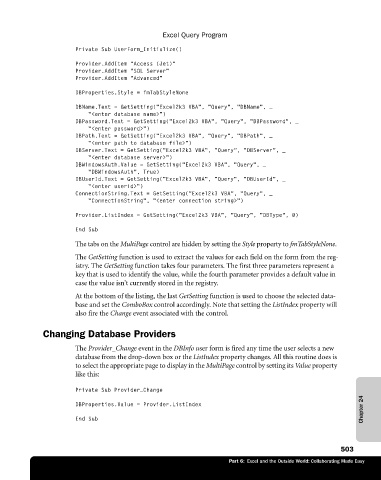
The tabs on the MultiPage control are hidden by setting the Style property to fmTabStyleNone.
The GetSetting function is used to extract the values for each field on the form from the reg
istry. The GetSetting function takes four parameters. The first three parameters represent a
key that is used to identify the value, while the fourth parameter provides a default value in
case the value isn’t currently stored in the registry.
At the bottom of the listing, the last GetSetting function is used to choose the selected data-
base and set the ComboBox control accordingly. Note that setting the ListIndex property will
also fire the Change event associated with the control.
Changing Database Providers
The Provider_Change event in the DBInfo user form is fired any time the user selects a new
database from the drop-down box or the ListIndex property changes. All this routine does is
to select the appropriate page to display in the MultiPage control by setting its Value property
like this:
Private Sub Provider_Change
Chapter 24
DBProperties.Value = Provider.ListIndex
End Sub
503
Part 6: Excel and the Outside World: Collaborating Made Easy

