


Page 366 - Between One and Many The Art and Science of Public Speaking
P. 366
Speaking of . . .


                    PowerPoint Poisoning

                    Too much PowerPoint can be like too much of anything   you let them take over the show, you will be ignored
                    else—deadly, at least to your audience. Even in business the   as a speaker.
                    heads of some corporations are telling their subordinates to   •   Too little focus on the speaker. There have been
                                          1
                    use this technology sparingly.  Here are some common pit-
                                                                       times when normal delivery skills have been forgotten
                    falls of PowerPoint use you’ll want to avoid:
                                                                       as a speaker focuses attention solely on the slides.
                       •   Too many slides. We’ve seen PowerPoint pre-  No matter what visuals you use, ultimately it is you,
                         sentations where almost every couple of sentences   the speaker, who is responsible for making your
                         the speaker shifts to a new slide. Trying to keep up   presentation engaging.
                         with what is being said and what is being shown is   •  PowerPoint used when it shouldn’t be. Not every
                         impossible.                                   speech calls for a PowerPoint presentation. Imagine
                       •  Too much detail on slides. Use key words,    a wedding toast with PowerPoint. It just doesn’t make
                         phrases, and visuals, not full sentences. We’ve seen   sense. Make sure if you use PowerPoint that it really
                         speakers put virtually every word in their manuscript   is necessary. If not, leave it out!
                         overhead. It left us wondering, what is the point of
                         having a speaker?
                                                                   1  Joe Downing and Cecile C. Garmon, “Teaching Students in the
                       •  Too much razzle-dazzle. PowerPoint’s special   Basic Course How to Use Presentational Software,” Communica-
                         effects may be “cool,” but not necessarily helpful. If   tion Education, 50 (2001): 218–29.


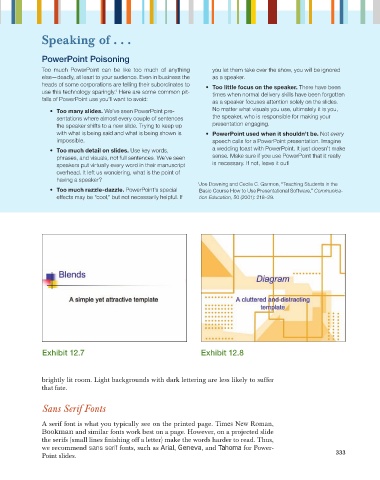
                    Exhibit 12.7                                    Exhibit 12.8


                    brightly lit room. Light backgrounds with dark lettering are less likely to suffer
                    that fate.


                    Sans Serif Fonts

                    A serif font is what you typically see on the printed page. Times New Roman,
                    Bookman and similar fonts work best on a page. However, on a projected slide
                    the serifs (small lines fi nishing off a letter) make the words harder to read. Thus,
                    we recommend sans serif fonts, such as Arial, Geneva, and Tahoma for Power-
                                                                                                             333
                    Point slides.

