Page 626 - Subyek Computer Aided Design - [David Planchard] Engineering Design with SOLIDWORKS
P. 626
Top-Down and Sheet Metal Parts                                                                                                                             Engineering Design with SOLIDWORKS® 2018


                                                                                                                                                                                                                                                                                            1t1
                                                Additional Pattern Options                                                                                                                                                                                                      l)C,       '~       Rib         (@  Wrap
                                                                                                                                                                                                                                                                                c,c,

                                                                                                                                                                                                                                                                              Linear

                                                                                                                                                                                                                                                                             Pattern  ~  Draft  ~ Intersect


                                                Three additional pattern options to discuss in this book are Curve                                                                                                                                                                •        ~ Shell  Dwlc::J  Mirror


                                                Driven Pattern, Sketch Driven Pattern and Table Driven Pattern.                                                                                                                                                           ·--'
                                                                                                                                                                                                                                                                              ~ Linear Pattern


                                                                                                                                                                                                                                                                              1>~<1  Circular Pattern


                                                •  Curve Driven Pattern creates instances of the seed feature                                                                                                                                                                 !?lc::J  Mirror


                                                                                                                                                                                                                                                                              ~ Curve Driven Pattern
                                                            through a sketched curve or edge of a sketch.                                                                                                                                                                       •

                                                                                                                                                                                                                                                                              ,;.8~  Sketch Driven Pattern


                                                                                                                                                                                                                                                                              [11  Table Driven Pattern


                                                •  Sketch Driven Pattern creates instances of the seed feature                                                                                                                                                                ~ Fill Pattern


                                                            though sketched points.                                                                                                                                                                                           R  Variable Pattern


                                                •  Table Driven Pattern creates instances of the seed feature through X-Y coordinates in


                                                            an existing table file or text file.


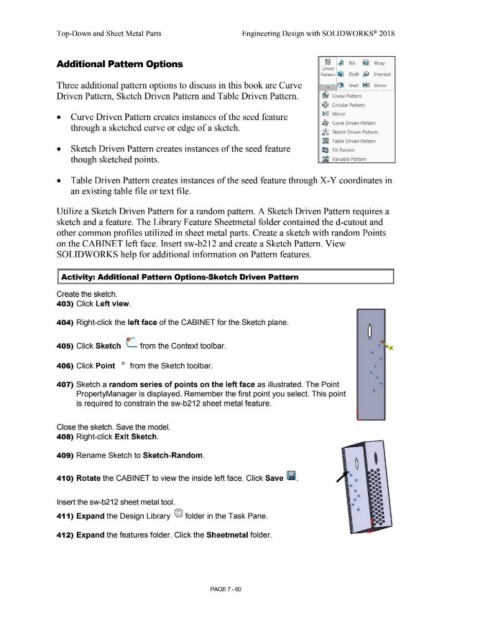
                                                Utilize a Sketch Driven Pattern for a random pattern. A Sketch Driven Pattern requires a


                                                sketch and a feature. The Library Feature Sheetmetal folder contained the d-cutout and


                                                other common profiles utilized in sheet metal parts. Create a sketch with random Points


                                                on the CABINET left face. Insert sw-b212 and create a Sketch Pattern. View


                                                SOLIDWORKS help for additional information on Pattern features.


                                                    Activity: Additional Pattern Options-Sketch Driven Pattern


                                                Create the sketch.


                                                403) Click Left view.


                                                404) Right-click the left face of the CABINET for the Sketch plane.


                                                                                                                                                                                                                                                                                                                    0


                                                                                                          o-                                                                                                                                                                                                        ()


                                                405) Click Sketch  L  from the Context toolbar.                                                                                                                                                                                                                             *  ~A


                                                                                                                                                                                                                                                                                                                       *

                                                                                                                                                                                                                                                                                                                              *

                                                406) Click Point                                      O      from the Sketch toolbar.                                                                                                                                                                                    *


                                                                                                                                                                                                                                                                                                                      *
                                                                                                                                                                                                                                                                                                                           *

                                                407) Sketch a random series of points on the left face as illustrated. The Point                                                                                                                                                                                              *


                                                                 PropertyManager is displayed. Remember the first point you select. This point                                                                                                                                                                          *


                                                                 is required to constrain the sw-b212 sheet metal feature.


                                                Close the sketch. Save the model.


                                                408) Right-click Exit Sketch.


                                                409) Rename Sketch to Sketch-Random.


                                                41 O)  Rotate the CABINET to view the inside left face. Click Save l'i.


                                                Insert the sw-b212 sheet metal tool.


                                                411) Expand the Design Library  ®J  folder in the Task Pane.


                                                412) Expand the features folder. Click the Sheetmetal folder.


                                                                                                                                                                                PAGE? - 60
   621   622   623   624   625   626   627   628   629   630   631