


Page 428 - Excel 2007 Bible
P. 428
26_044039 ch20.qxp  11/21/06  11:11 AM  Page 385
                                                 n Right-click the chart element and choose Format xxxx from the shortcut menu (where xxxx is the
                                                    name of the element).
                                                 n Select a chart element and then choose Chart Tools ➪ Format ➪ Current Selection ➪ Format
                                                    Selection.
                                                 n Select a chart element and press Ctrl+1.
                                             Any of these methods displays a tabbed Format dialog box that enables you to make many changes to the
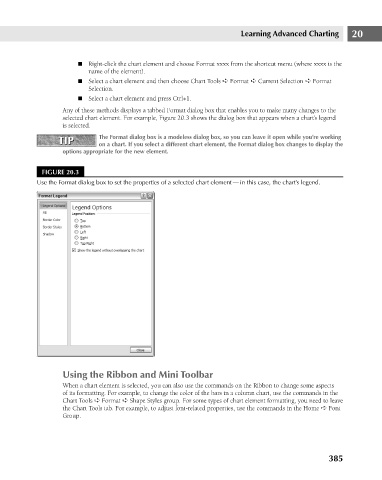
                                             selected chart element. For example, Figure 20.3 shows the dialog box that appears when a chart’s legend
                                             is selected.
                                                       The Format dialog box is a modeless dialog box, so you can leave it open while you’re working
                                           TIP
                                           TIP
                                                       on a chart. If you select a different chart element, the Format dialog box changes to display the
                                            options appropriate for the new element.
                                       FIGURE 20.3
                                     Use the Format dialog box to set the properties of a selected chart element — in this case, the chart’s legend.


                                             Using the Ribbon and Mini Toolbar                Learning Advanced Charting     20

                                             When a chart element is selected, you can also use the commands on the Ribbon to change some aspects
                                             of its formatting. For example, to change the color of the bars in a column chart, use the commands in the
                                             Chart Tools ➪ Format ➪ Shape Styles group. For some types of chart element formatting, you need to leave
                                            the Chart Tools tab. For example, to adjust font-related properties, use the commands in the Home ➪ Font
                                            Group.


                                                                                                                      385

