


Page 117 - Make Your Own PCBs with EAGLE from Schematic Designs to Finished Boards
P. 117
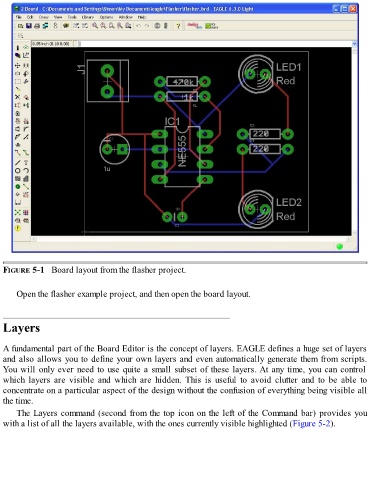
FIGURE 5-1   Board layout from the flasher project.


      Open the flasher example project, and then open the board layout.


  Layers


  A fundamental part of the Board Editor is the concept of layers. EAGLE defines a huge set of layers
  and also allows you to define your own layers and even automatically generate them from scripts.

  You will only ever need to use quite a small subset of these layers. At any time, you can control
  which  layers  are  visible  and  which  are  hidden.  This  is  useful  to  avoid  clutter  and  to  be  able  to
  concentrate on a particular aspect of the design without the confusion of everything being visible all
  the time.
      The Layers command (second from the top icon on the left of the Command bar) provides you

  with a list of all the layers available, with the ones currently visible highlighted (Figure 5-2).

