


Page 123 - Make Your Own PCBs with EAGLE from Schematic Designs to Finished Boards
P. 123
Value

  Changing a component value in the Board Editor is just fine. Any change that you make in the Board
  Editor will automatically update the Schematic Editor.


  Ripup

  Ripup is the opposite of Route. It allows you to rip up sections of track so that they can be rerouted.

  You will use this command a lot.


  Other Commands


  You  can,  if  you  wish,  skip  over  the  commands  in  this  section.  They  are  described  here  for

  completeness and so that you know of their existence should you need them at some point in the future.


  Mirror

  The Mirror command is only useful if you are placing components on the bottom layer, as well as the
  top. Mirroring the component to go on the underside will automatically mirror the pads.


  Paste

  Paste is the same concept as the Paste in Cut and Paste, but this being EAGLE, it works in a different

  way. To make a copy to be pasted, you select items either individually or using the Group command.
  The Paste command then will attach a duplicate of everything selected to the cursor so that you can
  click to place it in the design. As with duplication, you should only use this feature with items that are
  specific to the board design, such as holes or text.


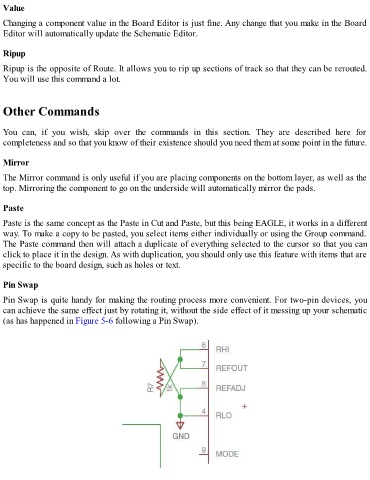
  Pin Swap

  Pin Swap is quite handy for making the routing process more convenient. For two-pin devices, you
  can achieve the same effect just by rotating it, without the side effect of it messing up your schematic

  (as has happened in Figure 5-6 following a Pin Swap).

