


Page 247 - Make Your Own PCBs with EAGLE from Schematic Designs to Finished Boards
P. 247
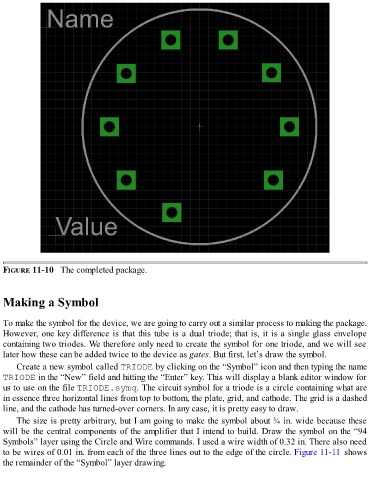
FIGURE 11-10   The completed package.


  Making a Symbol


  To make the symbol for the device, we are going to carry out a similar process to making the package.
  However, one key difference is that this tube is a dual triode; that is, it is a single glass envelope
  containing two triodes. We therefore only need to create the symbol for one triode, and we will see
  later how these can be added twice to the device as gates. But first, let’s draw the symbol.

      Create a new symbol called TRIODE by clicking on the “Symbol” icon and then typing the name
  TRIODE in the “New” field and hitting the “Enter” key. This will display a blank editor window for
  us to use on the file TRIODE.symq. The circuit symbol for a triode is a circle containing what are
  in essence three horizontal lines from top to bottom, the plate, grid, and cathode. The grid is a dashed

  line, and the cathode has turned-over corners. In any case, it is pretty easy to draw.
      The size is pretty arbitrary, but I am going to make the symbol about ¾ in. wide because these
  will be the central components of the amplifier that I intend to build. Draw the symbol on the “94
  Symbols” layer using the Circle and Wire commands. I used a wire width of 0.32 in. There also need
  to be wires of 0.01 in. from each of the three lines out to the edge of the circle. Figure 11-11 shows

  the remainder of the “Symbol” layer drawing.

