


Page 553 - Subyek Computer Aided Design - [David Planchard] Engineering Design with SOLIDWORKS
P. 553
Engineering Design with SOLIDWORKS® 2018 Swept, Lofted and Additional Features
Addressing Interference Issues
There is an interference issue between the FLASHLIGHT components. Address the
design issue. Adjust Rib2 on the HOUSING. Test with the Interference Check command.
The FLASHLIGHT assembly is illustrated in inches.
Activity: Addressing Interference Issues
Check for interference.
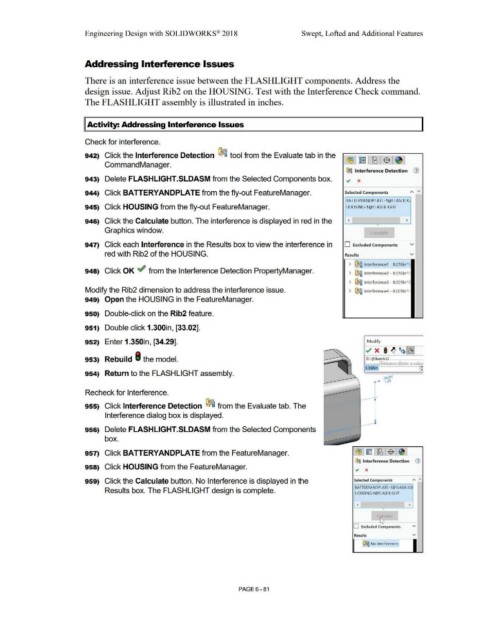
942) Click the Interference Detection ~ tool from the Evaluate tab in the
Command Manager.
~ Interference Detection G)
943) Delete FLASHLIGHT.SLDASM from the Selected Components box.
944) Click BA TTERYANDPLA TE from the fly-out FeatureManager. Selected Components
BA TIERYANDPLA TE-1@FLASHLIG
945) Click HOUSING from the fly-out FeatureManager. HOUSING-l @FLASHLIGHT
946) Click the Calculate button. The interference is displayed in red in the < >
•
Graphics window. Calculate
947) Click each Interference in the Results box to view the interference in D Excluded Components v
red with Rib2 of the HOUSING. Results v
> ~ lnterferencel - 0.016in":
948) Click OK ~ from the Interference Detection PropertyManager. > ~ lnterference2 - 0.016in":
> ~ lnterference3 - 0.001 in".:
Modify the Rib2 dimension to address the interference issue. > ~ lnterference4 - 0.001 in".:
949) Open the HOUSING in the FeatureManager.
950) Double-click on the Rib2 feature.
951) Double click 1.300in, [33.02].
952) Enter 1.350in, [34.29]. Modify
~ x I ~ ~~~
953) Rebuild I the model. D1@Sk tch:~ ---
Distance (Enter a value
F.
954) Return to the FLASHLIGHT assembly. •
Recheck for Interference.
955) Click Interference Detection ~ from the Evaluate tab. The
Interference dialog box is displayed.
956) Delete FLASHLIGHT.SLDASM from the Selected Components
box.
957) Click BA TTERYANDPLA TE from the FeatureManager.
~ Interference Detection G)
958) Click HOUSING from the FeatureManager. .., x
959) Click the Calculate button. No Interference is displayed in the Selected Components "' "
BA TIERYANDPLA TE-1@FLASHUG
Results box. The FLASHLIGHT design is complete. HOUSING-1@FLASHLIGHT
< >
•
ril, ulc:1te
o--~,~ =-~--
D Excluded Components v
Results v
~ No Interferences
PAGE6-81

