


Page 559 - Subyek Computer Aided Design - [David Planchard] Engineering Design with SOLIDWORKS
P. 559
Engineering Design with SOLIDWORKS® 2018                                                                                                                                             Swept, Lofted and Additional Features


                                                                        Exercises


                                                                        Exercise 6.1: Simple Wrap feature using the Sketch


                                                                        Entities text tool.


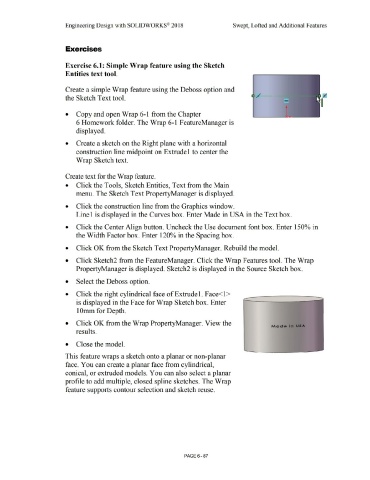
                                                                        Create a simple Wrap feature using the De boss option and


                                                                        the Sketch Text tool.                                                                                                                                                                                         /


                                                                        •           Copy and open Wrap 6-1  from the Chapter


                                                                                    6 Homework folder. The Wrap 6-1 FeatureManager is


                                                                                   displayed.


                                                                        •           Create a sketch on the Right plane with a horizontal


                                                                                   construction line midpoint on Extrude 1 to center the


                                                                                   Wrap Sketch text.


                                                                        Create text for the Wrap feature.


                                                                        •           Click the Tools, Sketch Entities, Text from the Main


                                                                                   menu. The Sketch Text PropertyManager is displayed.


                                                                        •           Click the construction line from the Graphics window.


                                                                                   Linel is displayed in the Curves box. Enter Made in USA in the Text box.


                                                                        •           Click the Center Align button. Uncheck the Use document font box. Enter 150% in


                                                                                   the Width Factor box. Enter 120% in the Spacing box.


                                                                        •          Click OK from the Sketch Text PropertyManager. Rebuild the model.


                                                                        •           Click Sketch2 from the FeatureManager. Click the Wrap Features tool. The Wrap


                                                                                   PropertyManager is displayed. Sketch2 is displayed in the Source Sketch box.


                                                                        •           Select the Deboss option.


                                                                        •          Click the right cylindrical face ofExtrudel . Face<l >


                                                                                   is displayed in the Face for Wrap Sketch box. Enter


                                                                                    1 Omm for Depth.


                                                                        •           Click OK from the Wrap PropertyManager. View the


                                                                                   results.


                                                                        •           Close the model.


                                                                        This feature wraps a sketch onto a planar or non-planar


                                                                        face. You can create a planar face from cylindrical,


                                                                        conical, or extruded models. You can also select a planar


                                                                       profile to add multiple, closed spline sketches. The Wrap


                                                                        feature supports contour selection and sketch reuse.


                                                                                                                                                                                                        PAGE6 - 87

