


Page 143 - Make Your Own PCBs with EAGLE from Schematic Designs to Finished Boards
P. 143
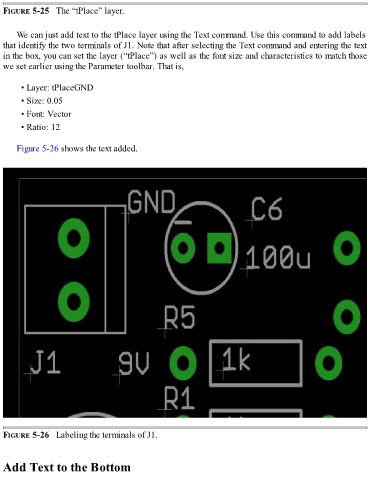
FIGURE 5-25   The “tPlace” layer.


      We can just add text to the tPlace layer using the Text command. Use this command to add labels

  that identify the two terminals of J1. Note that after selecting the Text command and entering the text
  in the box, you can set the layer (“tPlace”) as well as the font size and characteristics to match those
  we set earlier using the Parameter toolbar. That is,


        • Layer: tPlaceGND

        • Size: 0.05

        • Font: Vector

        • Ratio: 12


      Figure 5-26 shows the text added.


  FIGURE 5-26   Labeling the terminals of J1.


  Add Text to the Bottom

