


Page 144 - Make Your Own PCBs with EAGLE from Schematic Designs to Finished Boards
P. 144
Having legible and well-placed labels will make the board much easier to assemble. However, if you
  are just making one board for yourself, then it does not matter too much.

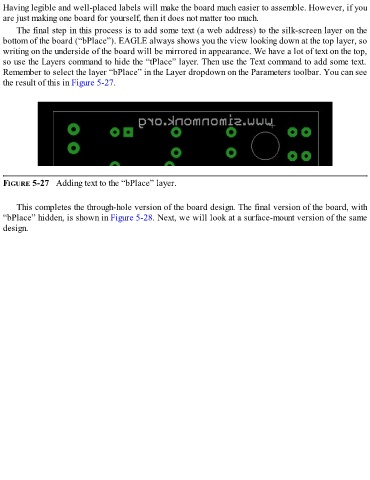
      The final step in this process is to add some text (a web address) to the silk-screen layer on the
  bottom of the board (“bPlace”). EAGLE always shows you the view looking down at the top layer, so
  writing on the underside of the board will be mirrored in appearance. We have a lot of text on the top,
  so use the Layers command to hide the “tPlace” layer. Then use the Text command to add some text.
  Remember to select the layer “bPlace” in the Layer dropdown on the Parameters toolbar. You can see
  the result of this in Figure 5-27.


  FIGURE 5-27   Adding text to the “bPlace” layer.


      This completes the through-hole version of the board design. The final version of the board, with
  “bPlace” hidden, is shown in Figure 5-28. Next, we will look at a surface-mount version of the same
  design.

