


Page 149 - Make Your Own PCBs with EAGLE from Schematic Designs to Finished Boards
P. 149
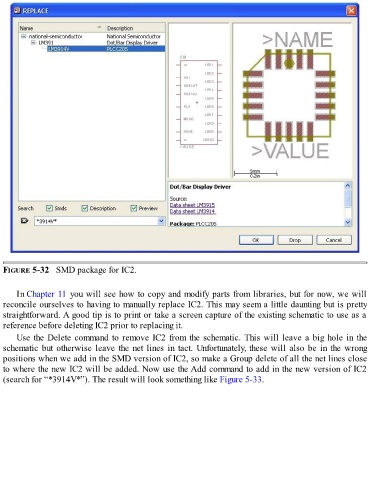
FIGURE 5-32   SMD package for IC2.


      In Chapter 11 you will see how to copy and modify parts from libraries, but for now, we will
  reconcile ourselves to having to manually replace IC2. This may seem a little daunting but is pretty
  straightforward. A good tip is to print or take a screen capture of the existing schematic to use as a
  reference before deleting IC2 prior to replacing it.

      Use the Delete command to remove IC2 from the schematic. This will leave a big hole in the
  schematic but otherwise leave the net lines in tact. Unfortunately, these will also be in the wrong
  positions when we add in the SMD version of IC2, so make a Group delete of all the net lines close
  to where the new IC2 will be added. Now use the Add command to add in the new version of IC2

  (search for “*3914V*”). The result will look something like Figure 5-33.

