


Page 536 - Subyek Computer Aided Design - [David Planchard] Engineering Design with SOLIDWORKS
P. 536
Swept, Lofted and Additional Features                                                                                                                      Engineering Design with SOLIDWORKS® 2018


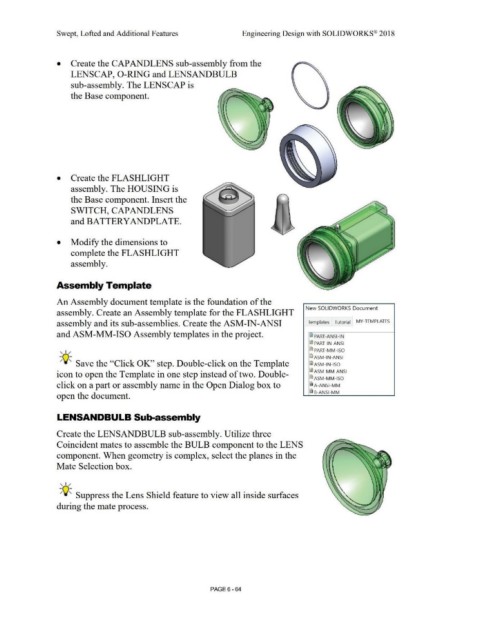
                                                •           Create the CAP AND LENS sub-assembly from the


                                                            LENSCAP, 0-RING and LENSANDBULB


                                                            sub-assembly. The LENSCAP is


                                                            the Base component.


                                                •           Create the FLASHLIGHT


                                                            assembly. The HOUSING is


                                                            the Base component. Insert the


                                                            SWITCH, CAP AND LENS


                                                            and BATTERYANDPLATE.


                                                •  Modify the dimensions to


                                                            complete the FLASHLIGHT


                                                            assembly.


                                                Assembly Template


                                                An Assembly document template is the foundation of the


                                                                                                                                                                                                                                                                New SOLIDWORKS Document
                                                assembly. Create an Assembly template for the FLASHLIGHT


                                                assembly and its sub-assemblies. Create the ASM-IN-ANSI                                                                                                                                                           Templates             Tutorial          MY-TEMPLATES


                                                and ASM-MM-ISO Assembly templates in the project.                                                                                                                                                                  ID PART-ANSI-IN


                                                                                                                                                                                                                                                                   ~ PART-IN-ANSI


                                                   , 1 /                                                                                                                                                                                                           ~ PART-MM-ISO

                                                                                                                                                                                                                                                                   !ID ASM-IN-ANSI

                                                  -;Q~ Save the ''Click OK'' step. Double-click on the Template                                                                                                                                                    !ID ASM-IN-ISO


                                                icon to open the Template in one step instead of two. Double-                                                                                                                                                      !ID ASM-MM-ANSI

                                                                                                                                                                                                                                                                   !ID ASM-MM-ISO

                                                click on a part or assembly name in the Open Dialog box to                                                                                                                                                         iA-ANSI -MM


                                                                                                                                                                                                                                                                   al 8-ANSI-MM
                                                open the document.


                                                LENSANDBULB Sub-assembly


                                                Create the LENSANDBULB sub-assembly. Utilize three


                                                Coincident mates to assemble the BULB component to the LENS


                                                component. When geometry is complex, select the planes in the


                                                Mate Selection box.


                                                   , 1 /


                                                  -;Q~ Suppress the Lens Shield feature to view all inside surfaces


                                                during the mate process.


                                                                                                                                                                                PAGE6-64

