Page 541 - Subyek Computer Aided Design - [David Planchard] Engineering Design with SOLIDWORKS
P. 541
Engineering Design with SOLIDWORKS® 2018                                                                                                                                             Swept, Lofted and Additional Features


                                                                          , ,/


                                                                          -;Q~ If the wrong face or edge is selected, click the face or

                                                                                                                                                                                                                                                                                Mate Selections

                                                                        edge again to remove it from the Mate Selections text box.


                                                                        Right-click Clear Selections to remove all geometry from the


                                                                        Mate Selections text box. To delete a mate from the


                                                                                                                                                                                                                                                                                                                         Customize Menu
                                                                       FeatureManager, right-click on the mate, click Delete.                                                                                                                                                  Standard Mates


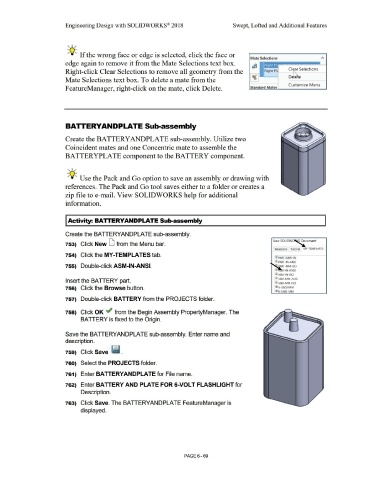
                                                                        BATTERYANDPLATE Sub-assembly


                                                                        Create the BATTERYANDPLATE sub-assembly. Utilize two


                                                                        Coincident mates and one Concentric mate to assemble the


                                                                        BATTERYPLATE component to the BATTERY component.


                                                                          , ,/


                                                                          -;Q~ Use the Pack and Go option to save an assembly or drawing with


                                                                        references. The Pack and Go tool saves either to a folder or creates a


                                                                        zip file to e-mail. View SOLIDWORKS help for additional


                                                                        information.


                                                                        I Activity: BATTERYANDPLATE Sub-assembly


                                                                        Create the BATTERYANDPLA TE sub-assembly.


                                                                                                                                                                                                                                                                                                        New SOLIDW~                        cument
                                                                        753)  Click New D from the Menu bar.


                                                                                                                                                                                                                                                                                                          Templates  Tutorial  MY-TEMPLATES

                                                                        754)  Click the MY-TEMPLATES tab.

                                                                                                                                                                                                                                                                                                         r~ PART-ANSl·IN

                                                                                                                                                                                                                                                                                                          l~ PART-IN-ANSI
                                                                        755)  Double-click ASM-IN-ANSI.                                                                                                                                                                                                       P.  RT-MM-ISO


                                                                                                                                                                                                                                                                                                          @}     M-IN-ANSI
                                                                                                                                                                                                                                                                                                          !ID ASM-IN-ISO

                                                                                                                                                                                                                                                                                                          iID ASM-MM-ANSI
                                                                        Insert the BA TIERY part.
                                                                                                                                                                                                                                                                                                          @) ASM-MM-ISO

                                                                        756)  Click the Browse button.                                                                                                                                                                                                    li'lJ A-ANSI-MM

                                                                                                                                                                                                                                                                                                          ~B-ANSI-MM


                                                                        757)  Double-click BATTERY from the PROJECTS folder.


                                                                        758)  Click OK ,.; from the Begin Assembly PropertyManager. The


                                                                                        BATTERY is fixed to the Origin.


                                                                        Save the BA TIERYANDPLA TE sub-assembly. Enter name and


                                                                        description.


                                                                        759)  Click Save · ~@J .


                                                                        760)  Select the PROJECTS folder.


                                                                        761)  Enter BATTERYANDPLATE for File name.


                                                                        762)  Enter BATTERY AND PLATE FOR 6-VOLT FLASHLIGHT for


                                                                                        Description.


                                                                        763)  Click Save. The BA TIERYANDPLATE FeatureManager is


                                                                                        displayed.


                                                                                                                                                                                                        PAGE6-69
   536   537   538   539   540   541   542   543   544   545   546