


Page 606 - Subyek Computer Aided Design - [David Planchard] Engineering Design with SOLIDWORKS
P. 606
Top-Down and Sheet Metal Parts Engineering Design with SOLIDWORKS® 2018
Display the Sheet Metal toolbar.
217) Click View, Toolbars from the Main menu. ~ Selection Filter
D Sheet Format
218) Check Sheet Metal. The Sheet Metal toolbar is displayed.
en S l_eet Metal
C S~ch
219) Click and drag to a location inside the Graphics window.
, ,/
-;Q::. Maintain constant thickness. Sheet metal features only work with constant wall
thickness. The Shell feature maintains constant wall thickness. The solid Extruded Base
feature represents the overall size of the sheet metal CABINET. The CABINET part is
solid. The Rip feature and Insert Sheet Metal Bends feature convert a shelled solid part
into a sheet metal part.
CABINET-Rip Feature and Sheet Metal Bends
The Rip feature creates a cut of no thickness along the edges
II
of the Extruded Base feature. Rip the Extruded Base feature ~~ ~ ~ ~~
Ill
along the four edges. The Bend feature creates sheet metal Rip
bends. Creates a gap between two edges in
a sheet metal part.
I
Specify bend parameters: bend radius, bend allowance and relief. Select the bottom face
to remain fixed during bending and unbending. In the next example, you will create the
Rip and the Insert Bend features in two steps. The Bends PropertyManager contains the
Rip parameter. Utilize the Rip feature to create a simple Rip and Bend in a single step.
I Activity: CABINET-Rip Feature and Sheet Metal Bends
Fit the model to the Graphics window.
220) Press the f key.
Insert a Rip feature. A Rip feature creates a gap between two edges in a
sheet metal part.
221) Click Rip ~ from the Sheet Metal tool bar. The Rip
PropertyManager is displayed.
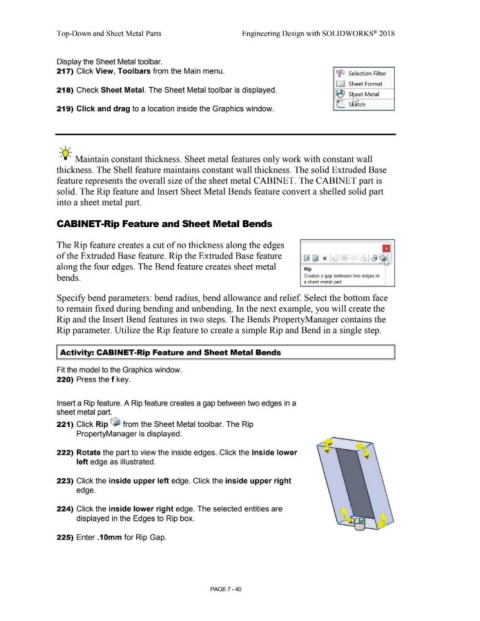
222) Rotate the part to view the inside edges. Click the inside lower
left edge as illustrated.
223) Click the inside upper left edge. Click the inside upper right
edge.
224) Click the inside lower right edge. The selected entities are
displayed in the Edges to Rip box.
,
•
~ --..I,- r
225) Enter .1 Omm for Rip Gap.
PAGE 7 - 40

